Kids learn by building games
with AI.
A safe, guided way for young children to make real HTML games with a friendly AI buddy called Vibe — learning to make things happen, set the rules, design their world, and track the score, one buildable step at a time.
Powered by AI that can only write one game file • No accounts for kids • Everything is reviewable by adults
See a real lesson
Every picture below is the actual product — Lesson 2 of Actions, Keyboard Animal Show, played start to finish. No mockups.
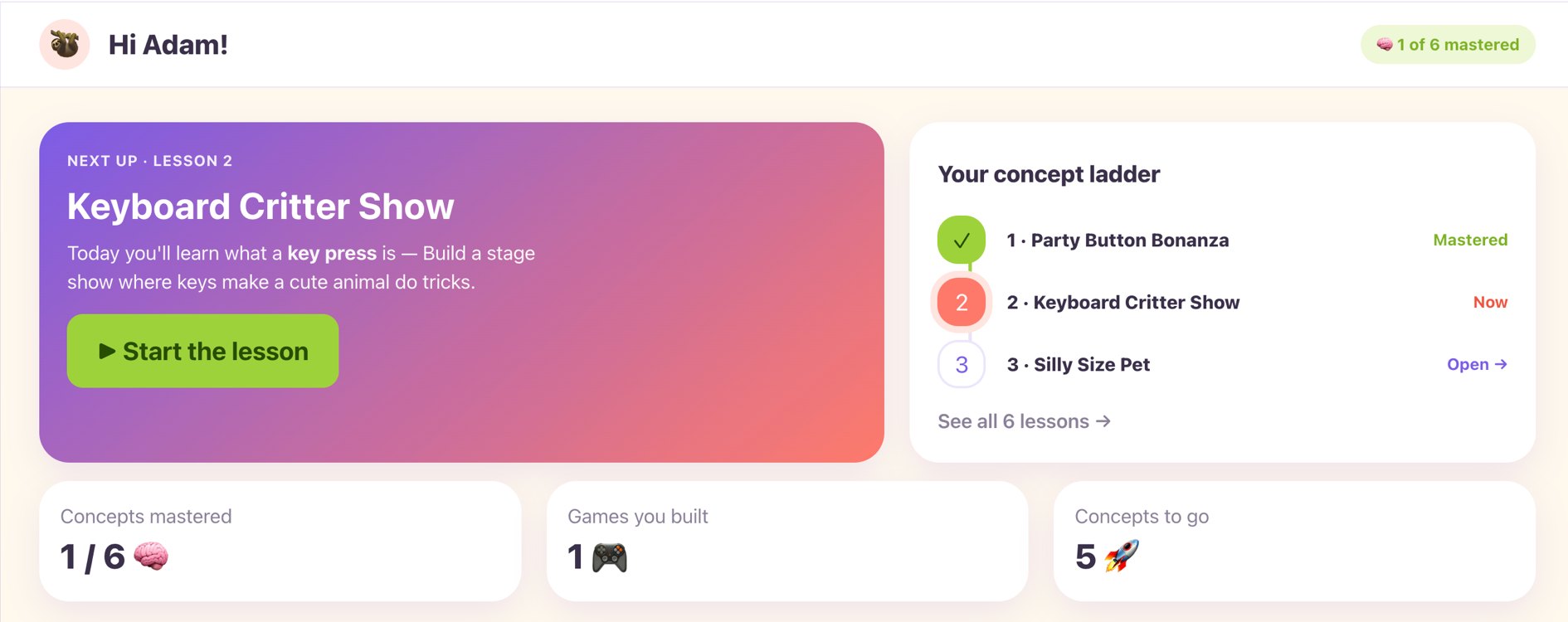
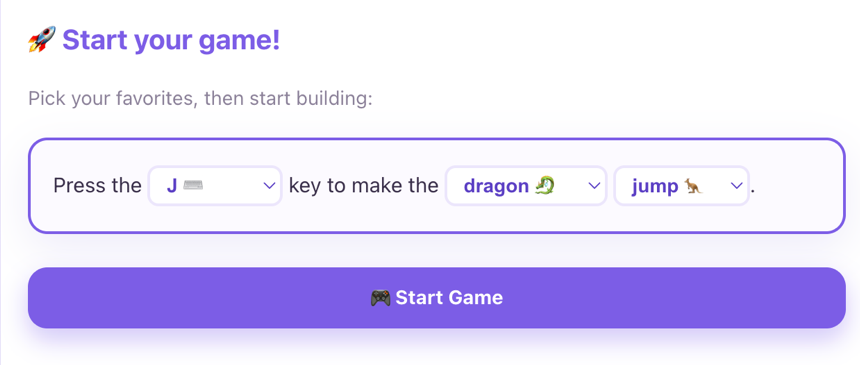
Start with a fill-in-the-blank
No blank page. Kids pick a key, a critter and a trick — “Press the J key to make the dragon jump” — and hit Start Game.
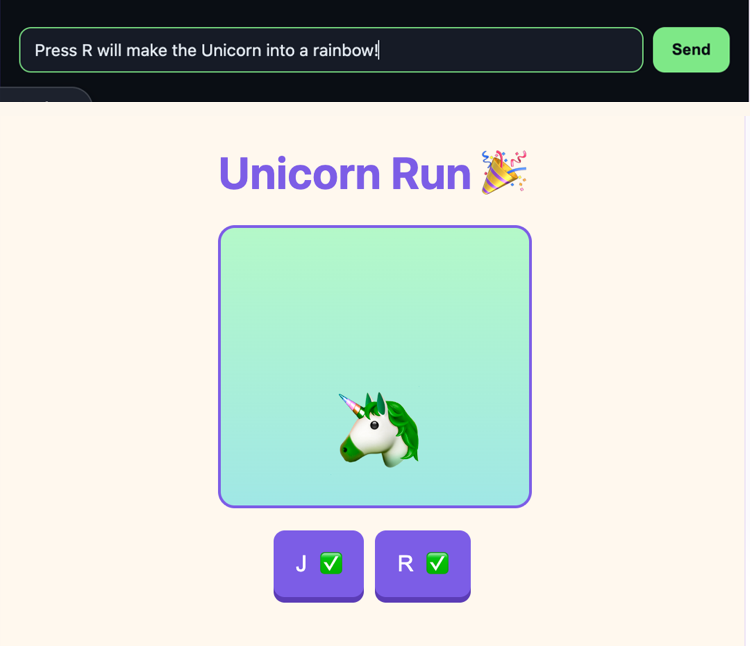
Then they type their own ideas
Type “Press R will make the Unicorn into a rainbow!” — and Vibe builds exactly that, live in the game preview.
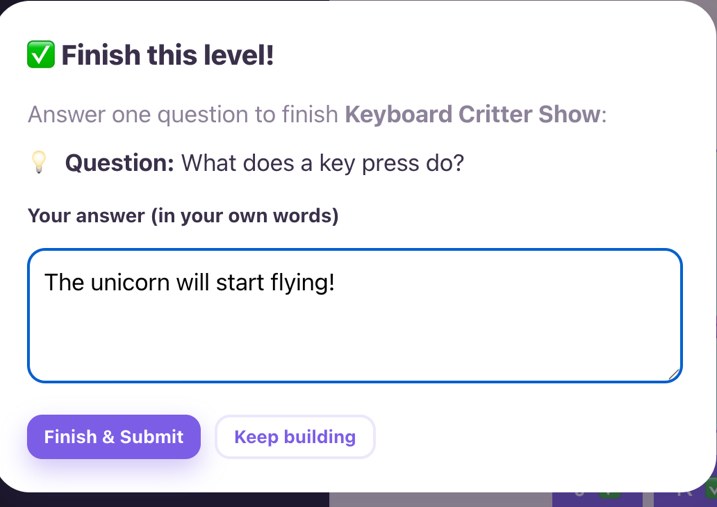
Finish by explaining it
Every lesson ends with one question, answered in the kid's own words — so you see real understanding, not just clicks.
What parents say
“Her favorite thing was the games where she could build her own character and have it interact. What surprised me was how quickly she picked up the concepts from lesson to lesson. Definitely give it a shot with the kid to see how they pick up the concepts of prompting over a few lessons.”
— “Adam,” father of three (name changed at the family’s request)
How Vibekids works
Simple, supervised, and actually fun.

Parents create a family profile
Add your kids (no emails or passwords for them). You stay in the driver’s seat — you type, guide, and see everything they build.
Kids build with Vibe
Through a safe terminal, kids tell Vibe what to make. Vibe helps them build one small piece at a time — and the only thing it can write is their one game file. The game appears live in a preview.
What kids learn: Actions
Actions is about making things happen. Kids discover how user inputs — buttons, keys, sliders, and sequences — trigger instant visual responses in their own games.
Party Button Blast
Button ActionsTap buttons to add balloons, spawn dancers, and launch confetti cannons.
Keyboard Animal Show
Key ActionsPress keys to make critters jump, spin, blow bubbles, and perform tricks.
Silly Size Pet
Slider ActionsSlide controls to continuously change pet size, wiggle speed, and silly hats.
Secret Code Show
Sequence ActionsCombine actions in exact order to unleash a grand fireworks finale.
Module 1 (Actions) is live today — 7 full buildable lessons. Future modules (Constraints, Design, Data) build on these foundation skills.
Safety is built in
We designed this for young children from day one.
The only thing Vibe can write is your child's one game file. No access to your device, your files, or the network — and each build session is thrown away when it ends.
Every game runs in a locked iframe with strict Content Security Policy. No external scripts, no data leaving the page.
Parents see every prompt and every build. Kids never create accounts alone.
Vibe is instructed to build with the child one small step at a time — never for them.
For parents
Introduce your child to coding — and explore it together, one small game at a time.
✓ You stay in control
Create profiles for your kids. You log in, you select which child is playing, and you see everything they make.
✓ No scary accounts for kids
Kids use simple memorable codes you control. No emails, no passwords, no social features.
✓ Real skills, real output
They don’t just watch videos — they create actual working games they can share with grandparents.
✓ Built for busy families
Short focused sessions. You can jump in and out. Everything saves automatically.
Get started
$39.99 one-time
60 days of full access to the Actions lessons, then 30 more days to download your games. 14-day money-back guarantee.
Get started →Ready to introduce your child to the world of coding with AI?
Start today: $39.99 one-time for 60 days of full access to the Actions lessons, then 30 more days to download your games.
Questions? Email hello@vibekids.app